
EAM / CMMS
Work Management
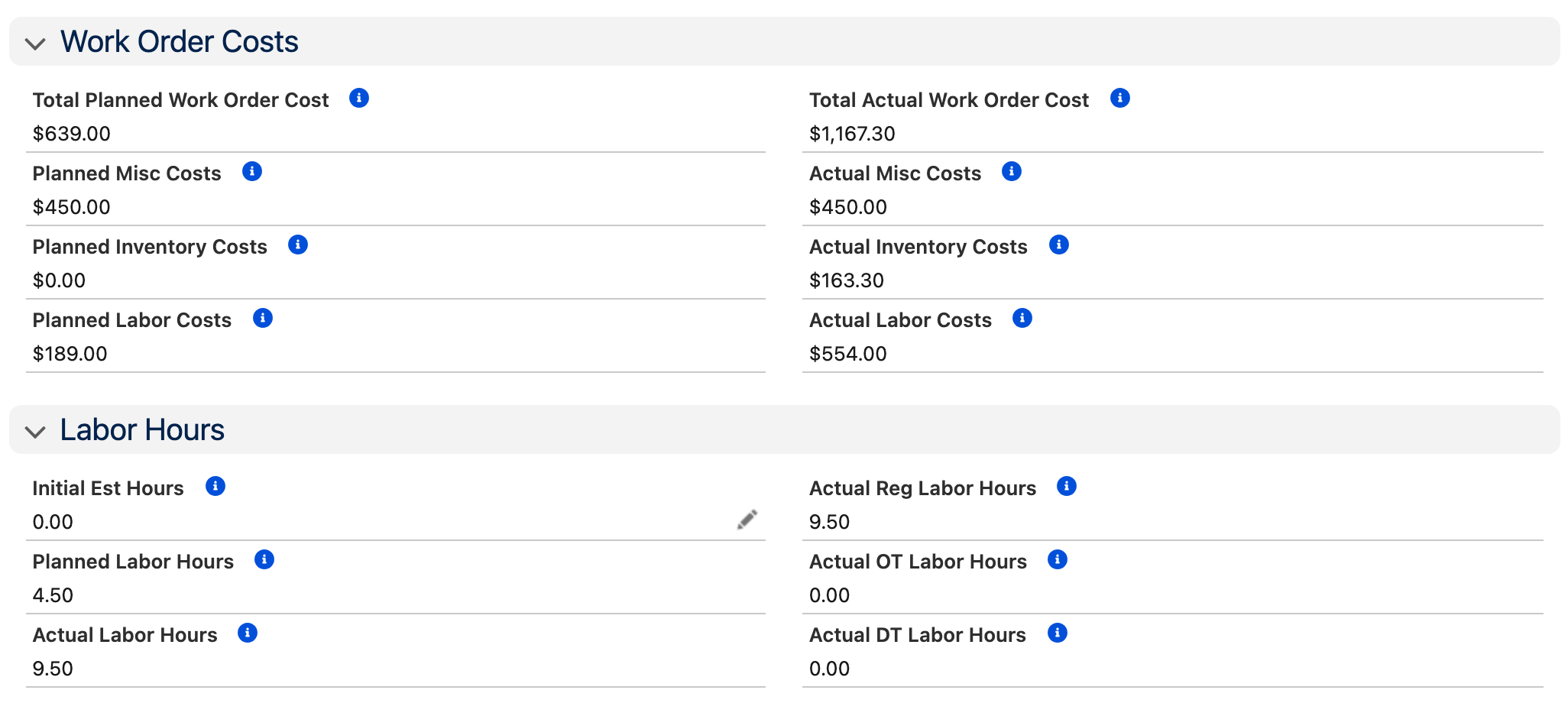
From request to completion in a single system. Create work orders straight from the asset record, plan parts and labor, track actual vs. planned costs, and know exactly where every dollar goes. Multiple work order types cover every scenario, and because everything connects directly to assets, inventory, and purchasing, you get full cost visibility without re-keying data.
Key Capabilities
One-Click Work Orders
Create work orders directly from asset records or copy existing orders to capture all planned tasks and parts.
Work Requests & Approvals
Submit requests via email, case, or an Experience Cloud portal. Criteria-based approval processes route requests to the right people.
Multi-Craft Task Planning
Break work into tasks by trade with percentage-complete tracking. Plan materials, labor, and equipment for each task.
Plan vs. Actual Costing
Track planned vs. actual for materials, labor, and miscellaneous charges. Know where maintenance dollars are going.
Parts Integration
Status-based commitment processing synchronizes your supply chain. Access the right parts via asset-specific bills of materials.
Chatter Collaboration
Follow work orders and collaborate with team members. Attach documents and files to build complete work packages.
How It Works
A work order moves through four stages, from initial request to final costing, with full traceability at every step.
Request Submitted
A work request comes in via email, case, portal, or direct entry. Criteria-based routing sends it to the right approver automatically.
Work Order Planned
The planner creates tasks by trade, estimates labor hours, plans materials from inventory, and attaches instructions or documents.
Work Assigned & Executed
Tasks are assigned to crews or individuals via the dispatch console. Technicians log time, issue parts, and update status from any device.
Closed & Costed
On completion, actual labor, materials, and miscellaneous costs roll up automatically. Plan vs. actual variance is visible immediately.
Who Is This For?
Maintenance Planners
Build detailed work packages with tasks, parts lists, and labor estimates. Track backlog and prioritize based on asset criticality.
Technicians
View assigned work, log time and materials, and update status from the field. No paperwork, no double entry.
Operations & Requestors
Submit work requests through a simple interface. Track status without calling the maintenance office.
Management
Measure actual maintenance spend across PM, corrective, and emergency work, and track planned vs. actual costs across the organization.
Good Fit If You...
- Need a complete work order lifecycle from request to closeout
- Want accurate labor and material cost tracking per work order
- Require approval workflows for work requests and spending limits
- Manage multi-trade work with tasks planned by craft
- Want field crews to update work from mobile devices
Step-by-Step Task Checklists
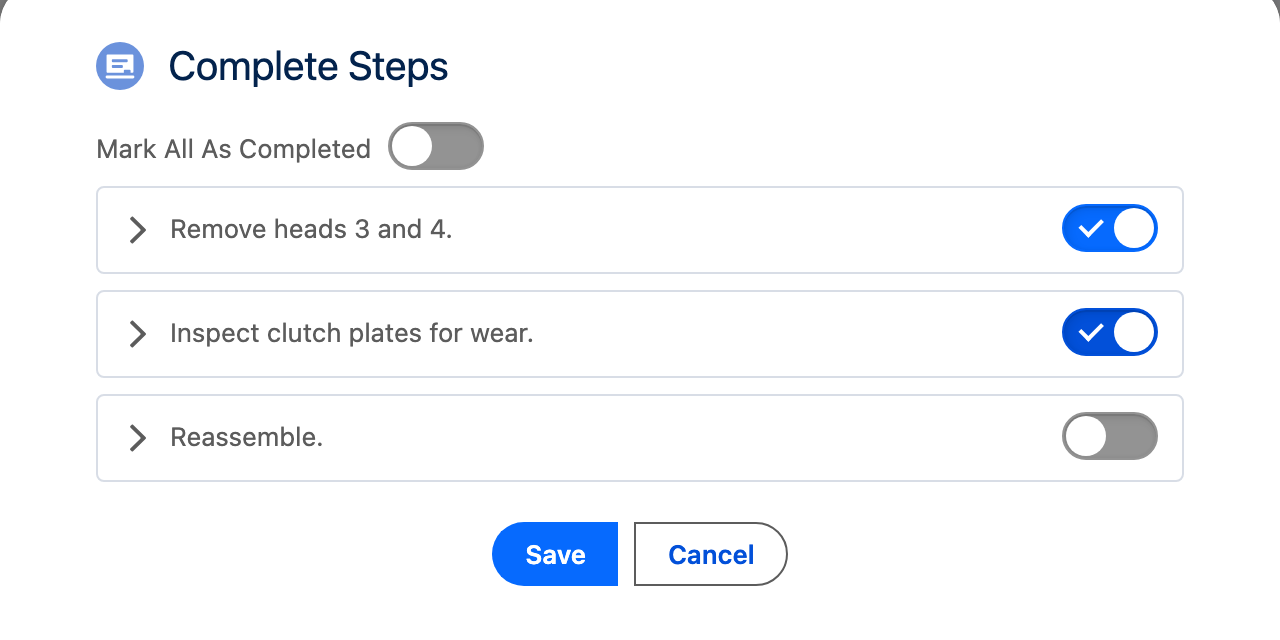
Break each task into the steps a technician follows. Technicians mark steps complete as they go, or all at once when the job is done, and the work order shows which steps are finished.
"AssetOptics is the perfect tool to manage the daily workflow of request and work orders that come across your desk, and at the same time it helps keep track of all the data related to your assets and facilities."
Want to see work management in detail? Watch the full training walkthrough →
See Work Management in Action
Try AssetOptics free with demo data. No commitment required.